What is Auvik ?
Auvik is a complete network management platform that allows IT professionals an array of functionalities and capabilities to enhance their network management abilities. Its network mapping and device management capabilities offer more visibility into the user’s network and help identify issues quickly. If you’re looking for an additional layer of protection from attacks, the traffic analysis and security tools can help with that, making the platform a complete package, though there are some downsides to it.
Key Features
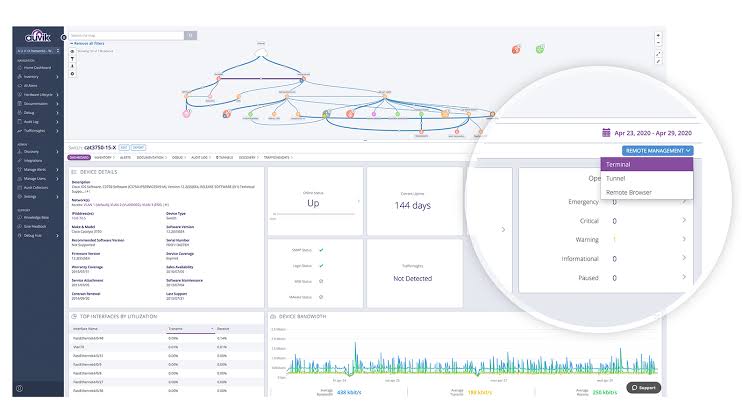
Hardware lifecycle data
Auvik enables organizations to identify devices that need upgrading or replacement. It pulls lifecycle data from supported devices to present current or expired support contracts. It allows users to know if there are more up-to-date software versions available and if devices are eligible to receive critical security updates or are still available for purchase.
Alerts and notifications
Businesses can stay on top of network events with pre-configured and customizable alerts from Auvik. After deployment, the system begins monitoring the network with various alerts tuned to industry best practices. Users can tweak pre-configured alerts, add their own, and choose how often they receive notifications.
Navigation
Users can find a specific device, get alerts, see physical and logical connections and drill down into the details about the device (e.g., IP address, status). Auvik has intelligent search and filter features, and alerts can appear on top of the affected device within the network map.
Security features
Auvik requires that all users enable two-factor authentication when accessing the software. Administrators can control user access to specific features based on their job roles, as well as view audit logs to get a complete history of all user changes to sites, networks, configurations and more.
Auvik Features Overview
- Dashboard
- Software Inventory
- Procurement Management
- Scheduling
- Incident Management
- Audit Management
- Requisition Management
- Uptime Monitoring
- Event Logs
- User Activity Monitoring
- Configuration Management
- Maintenance Management
- Internet Usage Monitoring
- Web Traffic Reporting
- Remote Access
- Diagnostic Tools
- IT Asset Management
- Baseline Manager
- Full Transaction Diagnostics
Pros & Cons
Pros:
- Device lifecycle information
- The product offers automated network mapping, making it easier to understand and visualize network infrastructure.
- Well-organized Knowledge Base for self-help
- The software offers real-time alerts and notifications, ensuring prompt response to network incidents.
- Automated backup
Cons:
- Opaque pricing, with company contact required for pricing
- The product may have a steep learning curve for users who are not familiar with network management tools.
- Difficult to configure server information
- Some users have reported occasional glitches or bugs in the software, requiring troubleshooting or support.
- Auvik’s customer support may not always be responsive or provide timely assistance.
Customer Service & Support
Users can access the support portal to browse articles, check the system status and submit a request. They can also reach out to their dedicated success manager.
Pricing
Auvik has two subscription plans that’s based on a per-network-site strategy, which includes unlimited users, sites and support.
The two plans are:
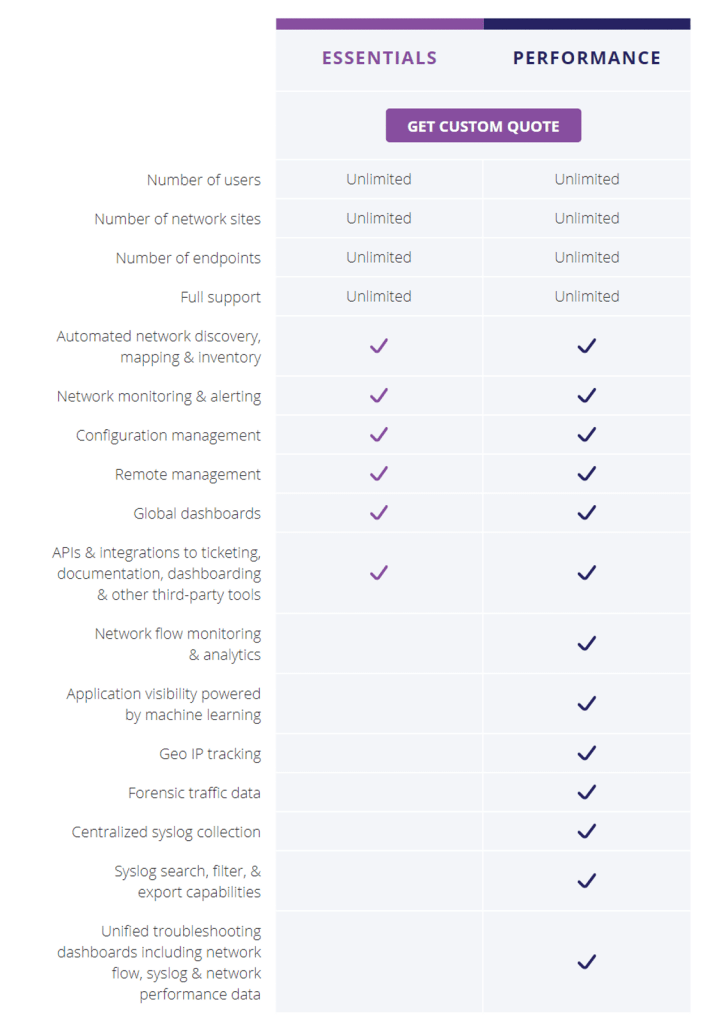
- Essentials – The Essentials plan covers the core network monitoring features, such as automated network discovery, alerting, configuration management, remote management, global dashboards and integration with third-party tools.
- Performance – The Performance plan includes all of the features of the Essentials plan, plus NetFlow monitoring and analytics, Geo IP tracking, forensic traffic data and syslog collection.
Devices supported
- Windows
- Mac
- Linux
- Web-based
Training
- Live online
- Webinars
- Documentation
- Videos
What is Auvik used for?
Auvik is Network Monitoring Software.
Auvik offers the following functionalities:
- Web Traffic Reporting
- Uptime Monitoring
- SLA Monitoring
- Server Monitoring
- Real Time Analytics
- IP Address Monitoring
- Internet Usage Monitoring
- Diagnostic Tools
- Baseline Manager
- Bandwidth Monitoring
- Resource Management
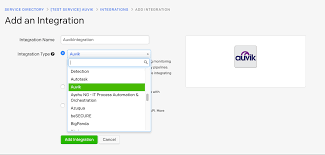
Auvik Integrations
- Slack
- Microsoft Teams
- Freshdesk
- PagerDuty
- OpsGenie
- ConnectWise Manage
- IT Glue
- ServiceNow
- Passportal
- ConnectWise Automate
- Autotask PSA
- Liongard
- ConnectWise Command
- ITBoost
- ScalePad
- CloudRadial
Auvik Review Conclusions
Auvik is a comprehensive network management platform that is packed with various features that aim to help IT professionals manage their networks more easily and faster. The network mapping and management capabilities offer enhanced visibility, and it is fairly easy to set up.
While some parts are more difficult to configure, overall, we would argue that the platform is designed for ease of use. However, its scalability and performance are really good, allowing you to effectively monitor large networks.
But our absolute favorite part of Auvik is the invention portion. It allows customers to back up the network devices, which we believe is a great feature. Moreover, it makes onboarding new customers easier for less experienced engineers as it does an excellent job of finding devices and directing them to put in credentials to manage.
 TECH ADVICE
Leave a comment